Top 4 Quicken.com Budgeting Alternatives 2026

Switching to a personal budgeting app that fits family collaboration, long-term planning, or faith-specific needs often means accepting gaps in bank syncing, custom reports, or workflow alignment. Popular choices like Quicken either limit advanced features to pricey tiers or fail to cover multi-currency accounts, shared budgets, or integrated investment tracking in a way that matches diverse household setups. This comparison covers pricing, device support, and standout features in four top alternatives so you can pick an app that keeps your financial plans on track without manual workarounds.
Table of Contents
- Amanah Budget
- YNAB (You Need A Budget)
- PocketSmith
- Banktivity
- Comparative Analysis of Personal Budgeting Apps
Amanah Budget
At a Glance
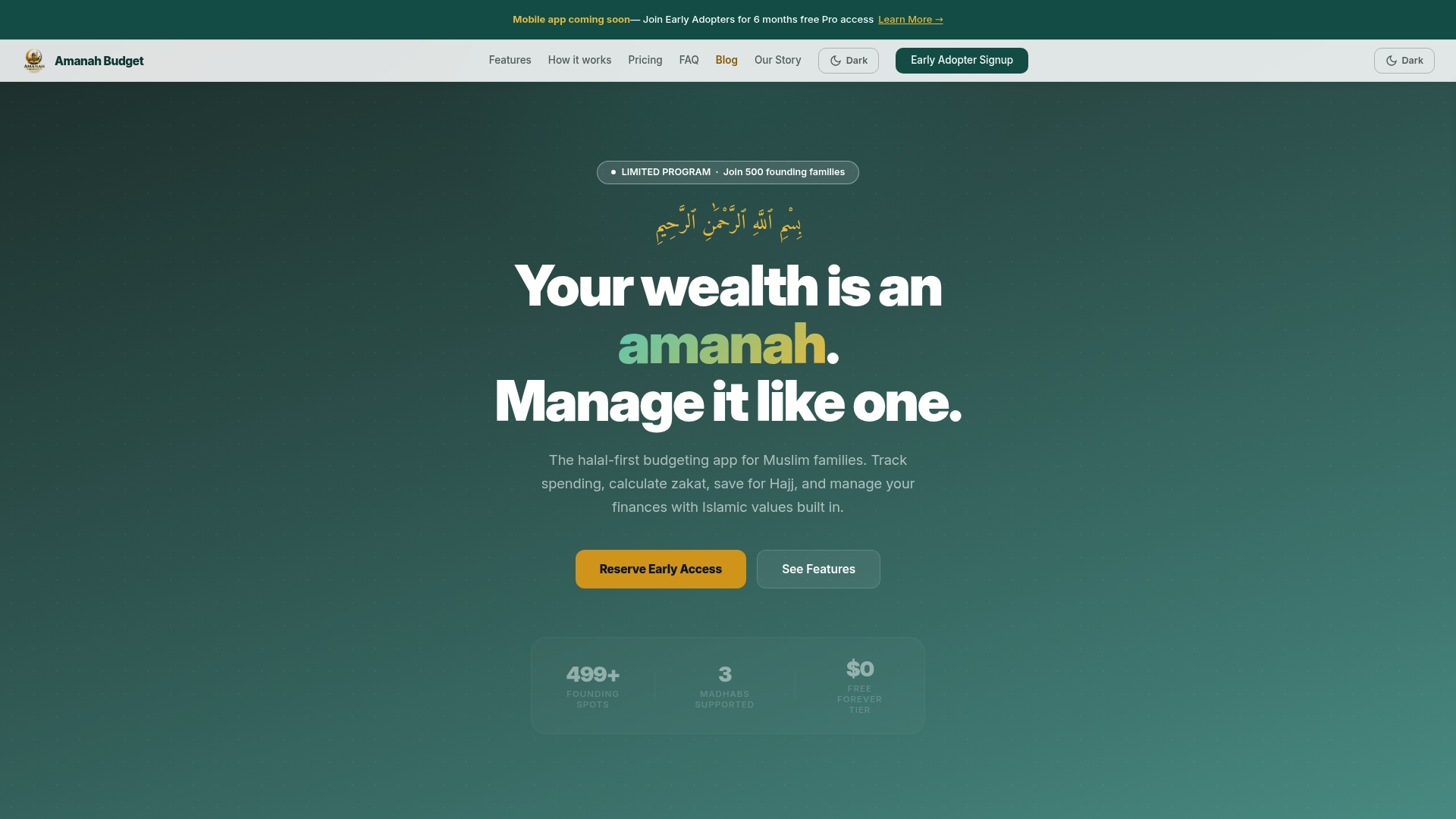
According to the company, the early adopter program grants six months of Pro access to the first 500 families who sign up. Amanah Budget is a halal-first budgeting app built for Muslim families that blends family sharing with faith-focused savings goals.
Core Features
Amanah Budget uses AI-based halal transaction flagging to mark purchases that may need review for halal compliance. The app supports bank syncing through Plaid so transactions auto-import from linked accounts.
It includes a zakat calculator that supports all four madhabs and configurable assumptions for asset classes. Family sharing lets spouses and household members view and contribute to common budgets and goals.
The product also offers dedicated savings goals for Hajj, Umrah, Ramadan, Eid, education, and emergency funds. The web platform includes a Ramadan planner and templates for Sadaqah and Zakat al-Fitr categories.
Key Differentiator
Amanah Budget is explicitly built around Muslim family workflows and Islamic rulings. The combination of halal-aware categories plus a zakat calculator covering all four madhabs is the functional core that separates it from generic budgeting apps.
Pros
-
Designed for Muslim families. The categories, goal types, and terminology match devotional milestones like Hajj and Ramadan, which reduces manual bookkeeping for faith-driven planning.
-
Zakat support across all four madhabs. That flexibility helps households choose the jurisprudence they follow without forcing spreadsheet work.
-
Family-focused collaboration. Shared household budgets and goal permissions let spouses coordinate savings without sending spreadsheets back and forth.
-
Free tier and early adopter perks. There is a free forever tier with core features, and the vendor advertises a limited early adopter offer that adds temporary Pro access for eligible families.
-
AI tagging speeds review. The AI flags likely halal and questionable transactions so you can resolve them in minutes rather than sorting dozens of entries manually.
Cons
- Mobile app is coming soon; the current experience is limited to the web platform which can feel awkward for on-the-go expense checks.
Notable Integrations
- Plaid for bank account connectivity and secure transaction import.
Who It’s For
Muslim families and individuals who want budgeting that aligns with Islamic practice. Useful for households saving for Hajj or Ramadan, couples managing a shared household, and anyone who wants zakat calculations integrated into daily finance tracking.
Unique Value Proposition
Built-in Hajj and Umrah savings goals plus family sharing let a household convert devotional plans into labeled cash buckets without separate spreadsheets. That design shifts devotional savings from a side project to a visible line item in your monthly budget.
Refer back to the early adopter offer above for a temporary Pro window during setup.
Real World Use Case
A family links their checking account, activates halal transaction tagging, and creates a Hajj goal. The spouse adds recurring transfers to that goal while the app uses the selected madhab to update zakat liabilities automatically.
Pricing
Free tier available. Pro at $4.99 per month or $39.99 per year. Family plan at $9.99 per month or $79.99 per year. The vendor also advertises the early adopter six month Pro offer for qualified families.
Website: https://amanahfund.com
YNAB (You Need A Budget)
At a Glance
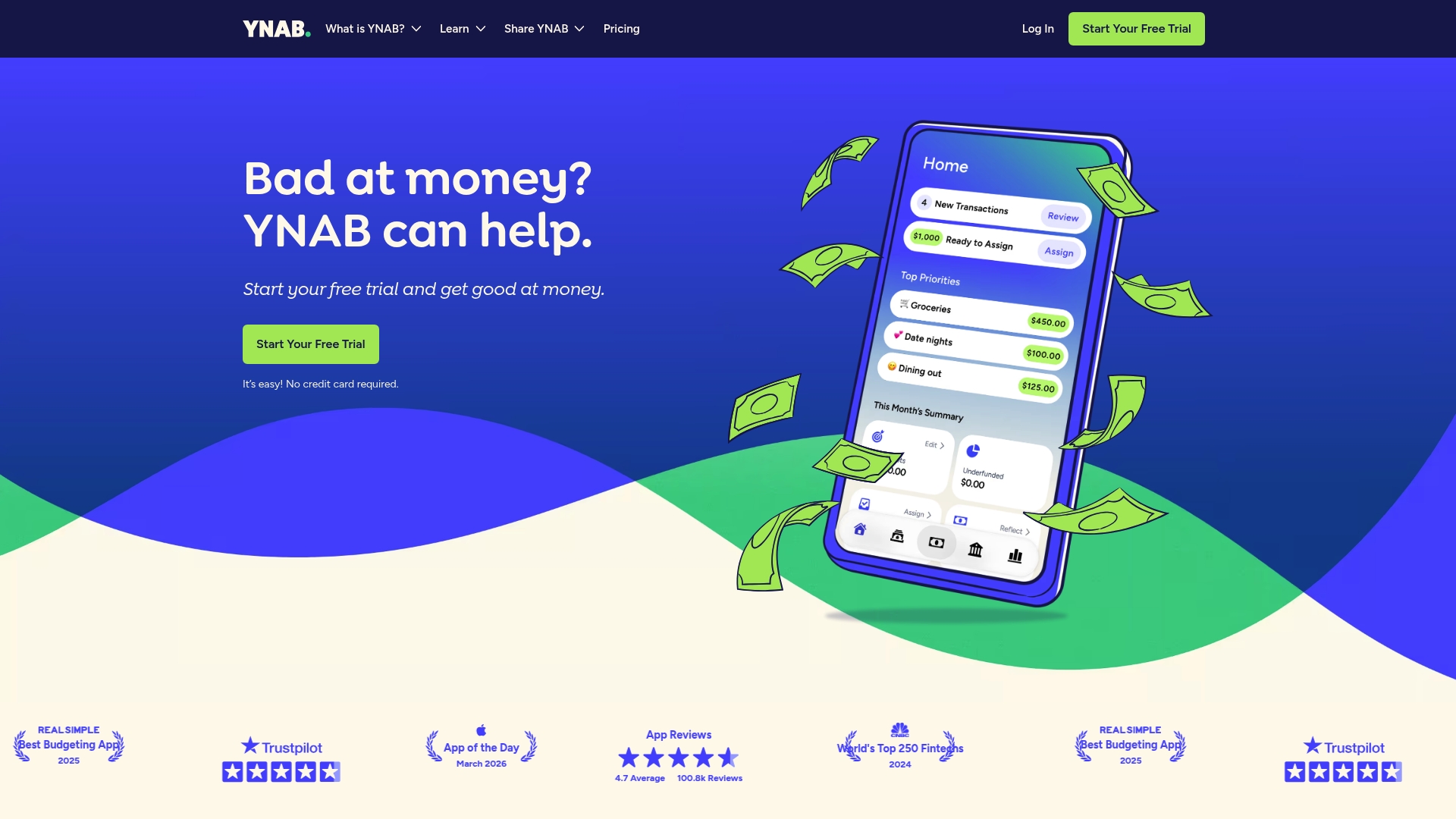
A 34-day free trial with no credit card required gives you a full month to test the budgeting approach before paying. YNAB’s marketing materials report high user satisfaction ratings and widespread acclaim, a claim you should treat as vendor-reported on first reading.
Core Features
- Give every dollar a job based on the YNAB Method so you allocate funds proactively rather than reactively.
- Connect and import transactions from bank accounts automatically to reduce manual entry and keep categories current.
- Real-time sync across web, desktop, and mobile so your partner or family sees updates instantly.
- Visual goal trackers and an integrated loan payoff planner to map progress toward savings and debt milestones.
Key Differentiator
YNAB’s distinguishing approach is the disciplined rule set behind budgeting. The YNAB Method pushes you to assign purpose to each dollar, prioritize upcoming expenses, and pull money forward when available. That behavioral framing turns budgeting from passive tracking into an active planning habit.
Pros
- Breaks paycheck-to-paycheck cycles by forcing forward-looking allocation rather than end-of-month reconciliation. Users report clearer decision points around discretionary spending.
- Automatic bank linking cuts reconciliation time significantly when it works, so most of your activity arrives categorized for review not entry.
- Built-in goal tracking and a loan payoff planner give visible momentum for savings and debt reduction; seeing progress reduces financial stress for many users.
- Group sharing lets partners maintain a single budget without duplicate accounts, which simplifies joint expense planning and transparency.
Cons
- Steep initial learning curve. The rules require a behavioral shift and several sessions to feel natural for new users.
- Higher subscription cost compared with some alternatives, which puts it out of reach for budget-conscious buyers who want a free tool.
- Occasional bank syncing problems with certain institutions mean you may still need manual imports from time to time.
- Limited support for multiple currencies inside a single budget, which complicates use for active international households.
When It May Not Fit
If you want a plug-and-play app that requires almost no training, YNAB will feel like extra work. If your household operates accounts in multiple currencies or you need frequent offline imports from niche banks, the syncing limits above will create friction. Budget-conscious users on a tight subscription budget may prefer a free or cheaper tracker.
Notable Integrations
- Bank account linking for automatic transaction import
- Loan calculators and payoff planner tools
- Mobile and desktop syncing across devices
Who It’s For
People committed to proactive money management, including couples and families willing to adopt a rules-based method. Best for users ready to trade a learning curve and a subscription fee for measurable reductions in overspending and faster savings growth.
Real World Use Case
A couple links their accounts, assigns every paycheck to categories, and sets a Hajj or emergency fund goal. They use the loan payoff planner to accelerate one credit card while maintaining living expenses. Shared access stops duplicated spreadsheets and aligns monthly decisions.
Pricing
YNAB charges USD 109 annually or USD 14.99 monthly plus applicable taxes. The 34-day free trial lets you evaluate the method and workflows before committing.
Website: https://ynab.com
PocketSmith
At a Glance
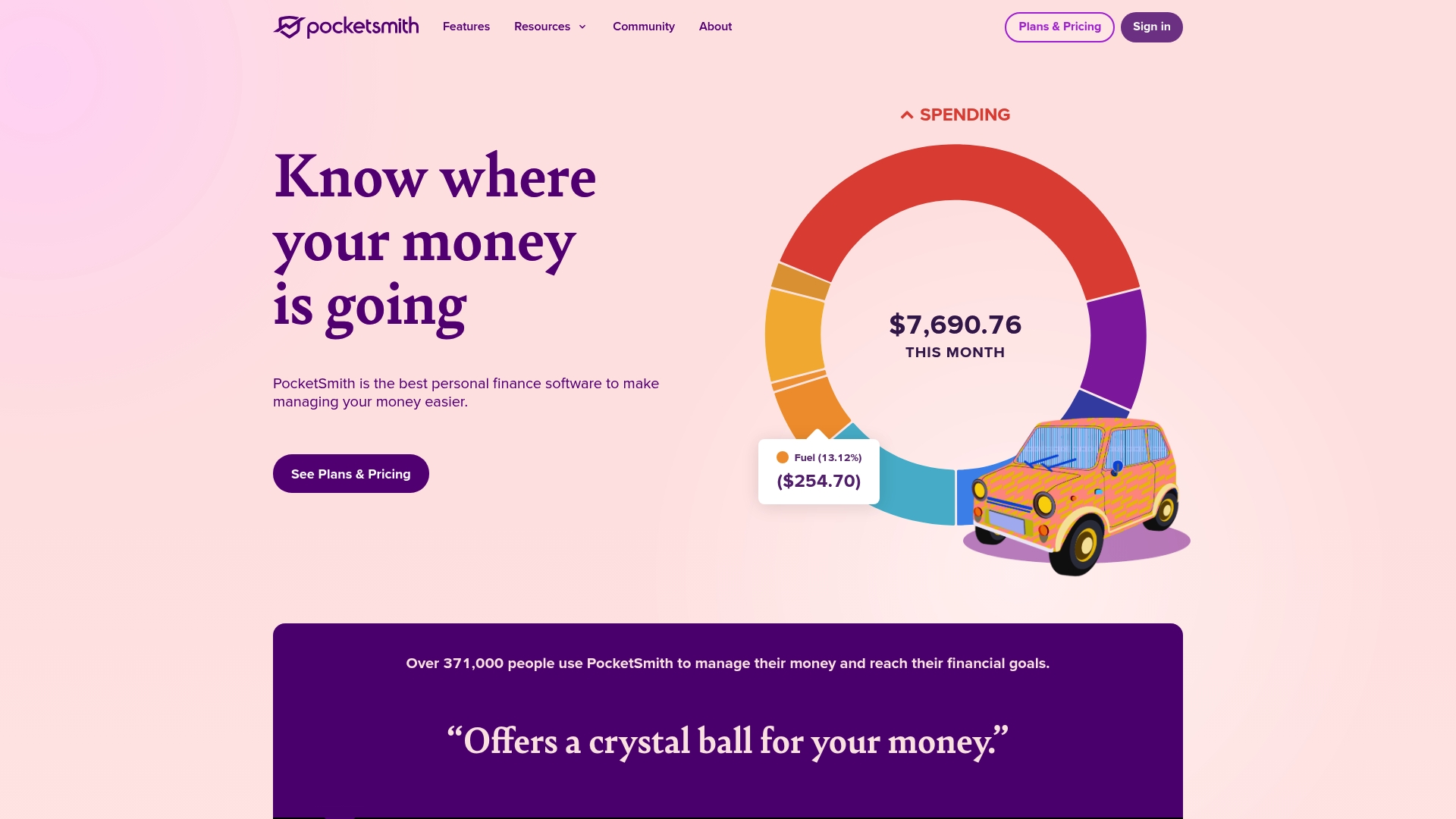
PocketSmith can forecast cash flow up to 30 years ahead, a capability aimed at people who plan decades, not just months. Its emphasis on long-term projection and scenario testing makes it a planning tool rather than a quick-budget app.
Core Features
- Account and transaction management with live bank feeds and automatic categorization.
- Forecasting that lets you model income, bills, and one-off events across long horizons.
- Custom dashboards and detailed reports for focused insights into spending and cash flow.
- Flexible budgeting with scenario testing and roll-up reports for household or small business finances.
- Multi-currency support with automatic conversion and tracking for non-fiat assets.
The vendor advertises automatic bank feeds for over 12,000 institutions worldwide. That feeds claim explains why PocketSmith markets itself to international users who hold multiple currencies.
Key Differentiator
PocketSmith pairs deep cash flow projection with granular customization. The forecasting lets you test future salaries, tax changes, or savings goals and see their impact over years, not weeks. That long-horizon modeling plus currency handling is the product’s main angle.
Pros
-
Deep forecasting gives you a tangible view of future shortfalls or surpluses, which helps with multi-year planning rather than reactive budgeting.
-
Highly customizable dashboards let you surface the exact metrics you care about, from running cash balance to category-level trends.
-
Multi-currency account tracking and support for Bitcoin, gold, and silver is helpful for international freelancers and small business owners.
-
Strong reporting tools let you export scenario results and share clear projections with a spouse, advisor, or accountant.
-
Security measures and privacy-focused policies reduce worry about data handling compared with some advertising-backed apps.
Cons
-
The vendor feeds claim above is not universal in practice; unreliable syncing with some banks creates gaps that undermine real-time accuracy for affected users.
-
Customer support response times are inconsistent, which can slow resolution for a broken feed or complex setup.
-
Advanced customization carries a steep learning curve; expect several hours of setup and regular tweaking to keep forecasts meaningful.
-
Initial transaction categorization requires manual effort for precise reporting, especially if you have many small recurring charges.
When It May Not Fit
If you want a no-setup, quick-start budget tool that works out of the box, PocketSmith will feel heavy. It is also a poor match for users who rely on flawless, instant bank syncing because that aspect can be hit-or-miss for some institutions.
Who It’s For
Serious individual budgeters, financial hobbyists, and small business owners who prioritize long-term forecasting and multi-currency management. Use this if you are willing to invest time up front to build accurate models and custom dashboards.
Real World Use Case
A freelance consultant tracks multiple currency accounts and irregular invoices. They build a five-year projection that models low-revenue months and planned equipment purchases, then adjust savings targets so tax and retirement contributions stay on track.
Pricing
PocketSmith offers paid plans and a free trial; tier details and limits are published on the vendor site. Pricing varies by feature set and forecasting horizon, so check the plan pages for the exact breakdown.
Website: https://pocketsmith.com
Banktivity

At a Glance
Banktivity runs natively on macOS and pairs desktop-grade investment analysis with mobile performance widgets on iPhone and iPad. The app emphasizes a desktop-first workflow while offering a proprietary Cloud Sync for cross-device access and a 30-day free trial.
Core Features
Budgeting and account management sit at the center, with tools to build envelope and category budgets and reconcile transactions on your Mac. Investment tracking includes real-time performance widgets, portfolio breakdowns, and security-level insights on mobile devices and desktop.
Customizable reports and charts let you extract tax-ready reports and export statements for a tax professional or accountant. Banktivity also supports manual imports when automatic bank connectivity fails, keeping records usable for multi-account households.
Key Differentiator
Banktivity’s native macOS architecture gives the desktop app deeper reporting and a file-based workflow that many Mac users prefer over web-only tools. That macOS-first design translates into richer charts, faster local search, and tighter keyboard-driven navigation compared with browser-reliant alternatives.
Pros
- Tracks investments alongside bank accounts, which helps when you want performance context for budgeting decisions.
- Works well for tax preparation by exporting detailed reports and categorized transaction histories for an accountant.
- Desktop-centric features favor power users who prefer a full Mac app and keyboard shortcuts instead of a mobile-first interface.
- Long-term users report responsive tech support, which can make a difference when complex import or reporting questions arise.
Cons
- Bank connectivity is a recurring complaint; many users report frequent syncing interruptions that require manual fixes.
- Transaction categorization and balancing errors appear inconsistently, making reconciliation slower for busy months.
- Some users describe the support experience as uneven despite reports of responsiveness from others.
- Manual import workflows can be tedious and error prone if you rely on CSV or OFX uploads frequently.
When It May Not Fit
If you need rock-solid, always-on bank syncing for dozens of daily transactions, Banktivity’s connectivity issues may become a bottleneck. If your workflow is entirely mobile or you expect flawless automatic categorization, this desktop-first tool will feel limiting.
Who It’s For
Mac users who want a desktop-focused personal finance tool that keeps investment tracking and budget planning in one place. The product fits people who prefer local file control and deeper reporting over purely cloud-based convenience.
Real World Use Case
A long-term investor uses Banktivity on a Mac to monitor a multi-account portfolio, run performance reports quarterly, and prepare tax exports each year. The investor relies on the desktop charts for rebalancing decisions and Cloud Sync to view snapshots on an iPhone while traveling.
Pricing
Subscriptions start at $6.99 per month or $59.99 billed annually, and Banktivity offers a 30-day free trial for new users. The annual plan reduces the monthly equivalent and gives you a full month to test syncing and imports.
Website: https://banktivity.com
Comparative Analysis of Personal Budgeting Apps
Selecting a personal budgeting app tailored to specific requirements involves evaluating trade-offs between functionality, usability, and specialized features. Here, we compare four alternatives to quicken.com, focusing on how they serve distinct budgeting needs.
Faith-Driven Budgeting and Collaboration
Amanah Budget shines by catering to Muslim families striving for halal financial management and synchronized household savings. Offering AI-based halal transaction tagging and a zakat calculator across all madhabs, the niche focus provides ease for users prioritizing Islamic financial principles. Furthermore, its goal categories reflect devotional milestones, simplifying the integration of faith-based goals into budgeting.
Comparatively, YNAB emphasizes disciplined saving using the methodology of assigning proactive tasks to every dollar. While efficient in helping users break the cycle of reactive expense reconciliation, it lacks the halal transaction consideration important to users observing faith-centric budgeting practices.
Long-Term Forecasting
PocketSmith stands out with its advanced cash flow forecasting capabilities, extending insights up to 30 years ahead. The inclusion of multi-currency support and scenario modeling targets individuals with complex finances, especially international or freelance professionals.
In contrast, Banktivity focuses on macOS users needing integrated investment tracking alongside budgeting but lacks the deep forecasting of PocketSmith. Amanah Budget doesn’t aim to tackle multi-decade planning or cater to multinational operations, making competition distinct.
Best Fit by User Profiles
- Amanah Budget: Budgeting aligned to Islamic practices and integrated tools for family collaboration.
- YNAB: Disciplined savers seeking active money management workflows with minimal recurring categorization.
- PocketSmith: Users requiring precise forecasts over decades and strong multi-currency capabilities.
- Banktivity: Mac owners balancing portfolio management with daily personal finance.
Our Pick
Amanah Budget suits households needing faith-driven financial tools, unique in providing halal transaction review and zakat calculation features. Its focused functionality makes it for Islamic family financial tracking. However, users demanding long-term forecasting may find PocketSmith more appropriate.
Personal Budgeting Apps Comparison
Choose the best personal budgeting app by comparing key features and pricing plans.
| Product | Core Feature | Key Differentiator | Best for | Pricing | Notable Limitation |
|---|---|---|---|---|---|
| Amanah Budget | Halal transaction flagging Zakat calculator | Muslim family financial workflows | Muslim families saving for Hajj or Ramadan | Free tier $4.99/month $39.99/year | Mobile app not yet available |
| YNAB | Proactive budgeting with YNAB Method | Rules-based money management | Couples ready for behavior-driven tracking | $14.99/month $109/year | Requires a steep learning curve at first |
| PocketSmith | Long-term forecasting Multi-currency support | Customizable dashboards and reports | Small businesses planning multi-year finances | Published on vendor website | Steep setup required for high customization |
| Banktivity | Desktop-native macOS app Investment tracking | Investment analysis and local file control | Mac users needing tax and finance tools | $6.99/month $59.99/year | Bank connectivity issues may require manual syncing adjustments |
Discover a Quicken.com Alternative Built Around Your Values
Finding a budgeting app that truly respects your financial and spiritual goals can be challenging. If you are seeking alternatives to Quicken.com that align with Islamic principles and support family budgeting, Amanahfund offers a solution designed just for you. Amanah Budget combines halal-aware spending categories, zakat calculations across all madhabs, and dedicated savings goals for Hajj and Ramadan, all in one accessible platform.

Take charge of your family finances with Amanahfund by securely connecting bank accounts through Plaid and benefiting from AI-powered transaction categorization. Visit Amanahfund now to experience budgeting that reflects your deen and dunya. Set up your shared household budget and start saving intentionally for your spiritual milestones today.
Frequently Asked Questions
How does Amanahfund support halal transaction flagging for budgeting?
Amanahfund utilizes AI-based halal transaction flagging to mark purchases that may require review regarding halal compliance. This feature allows users to easily identify transactions that align with their Islamic practices, enhancing their budgeting experience. Consider using Amanahfund if tracking halal spending is essential for your family.
What is the difference between Amanahfund and YNAB in user experience?
YNAB is praised for its disciplined budgeting method, pushing users to assign purpose to every dollar, which fosters proactive money management. In contrast, Amanahfund focuses specifically on Muslim family workflows with its halal-aware categories, making it more tailored for users with specific religious budgeting needs. If you’re looking for a budgeting app that uniquely fits Islamic practices, Amanahfund is a great option.
Which platform offers a better family-sharing capability for budget management?
Amanahfund offers family-focused collaboration features, allowing household members to view and contribute to shared budgets and goals. This capability is particularly useful for couples who want to coordinate their financial goals without complicated spreadsheets. If family collaboration is a priority for you, consider trying out Amanahfund for its dedicated sharing features.
Can I use Amanahfund if I need to calculate zakat regularly?
Yes, Amanahfund includes a zakat calculator that supports all four madhabs, providing flexibility in how you approach zakat calculations. This feature helps families easily determine their zakat obligations based on their chosen jurisprudence, making budgeting during religious observances smoother. If regular zakat calculation is a part of your financial planning, Amanahfund could be an ideal fit.
What kind of pricing plans does Amanahfund offer for families?
Amanahfund has a free tier available along with a Pro subscription at $4.99 per month or $39.99 per year, and a family plan at $9.99 per month or $79.99 per year. This variety in pricing ensures that households can find an option that fits their budget while accessing essential budgeting features. Explore these options to find the right plan for your family’s needs.
Recommended
Ready to manage your amanah?
Track halal spending, calculate zakat, save for Hajj — all in one app. Free forever.
Create Free Account